Creating a Panorama
Image Stitching with Homographies for Perspective Projection
Introduction
Think about the process of taking a panorama shot on your mobile device. Your phone prompts you to slowly move it along some line for stability and the output is a wide image that has captured a much larger field of view. How does this work? In the simplest cases, we can think about the camera taking 2 separate images at different phone angles. These images are then stitched together into one wider image to get that desired panorama effect. The main challenge here is figuring out how to perform this image stitching and achieve proper alignment of the features in the image.
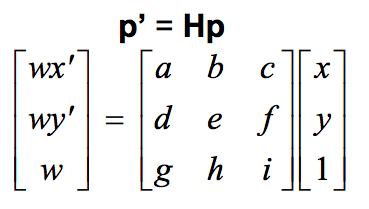
This alignment requires the translation of one image into the perspective space of the other, which can be accomplished if you know the homography that describes the perspective transformation between them. To calculate this 3x3 matrix we just need 4 point pairs that represent feature matches between the two images. Once this H matrix is solved for, it can be used to translate all points in one image into the perspective space of the other, thus giving us our alignment needed for image stitching.
Feature Identification
With my knowledge of what a good feature looks like, typically focused on good multi-directional gradient flow and distinctiveness, I started by manually choosing the 4 point pairs.
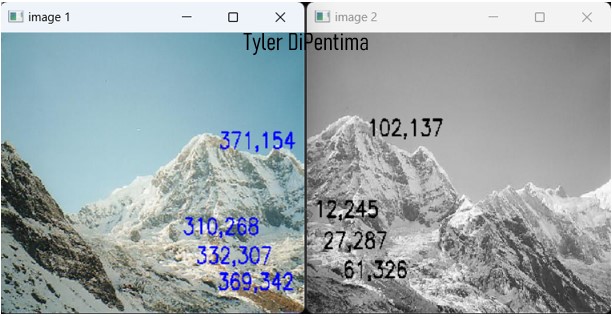
The features chosen are seen at the bottom left of the text blocks. I aimed for sharp corner-like features that transitioned from dark to light coloring to maximize the intensity gradients. I proceeded to utilize these point pairs to calculate the homography, warp the second image, and stitch the images together to get the following panorama:
While the images line up fairly well, there is a visual artifact at the stitch line where the images seem to be offset in the y direction. This is likely because homography error caused by the point pairs being weaker than needed. To improve upon this, I automated the point pair selection process by implementing the Harris Corner Selection algorithm myself. This algorithm takes the gradient properties of all the points in an image to identify which pixels exhibt the best multi-directional gradients. SIFT decriptors were then assigned to each of the found keypoints, and the keypoints were Brute Force matched between the images, leaving me with 100 possible point pairs to use for the homography calculation.
Match Selection
Since we only need 4 points to calculate the homography, this offered many possible match combinations each producing different homographies. To make sure that the chosen 4 were distinct, textured, and invariant enough to lead to optimal image stitching, I implemented an adaptive RANSAC algorithm. In this algorithm, I first randomly sample 4 values from the range 0 to the number of discovered matches. These randomly-sampled indices represent the 4 point pairs we will use for the homography calculation in this iteration. The resulting homography is then applied to get the projected point values.
Since we have the matches, we can take the euclidean distance between the projected point coordinates and the ground truth coordinates from the matches. For each match that proves consistent with the current homography, defined by having a distance below some threshold hyper-parameter, we consider this an inlier. If the inlier percentage is the highest seen so far, we save the homography as our leading candidate. We also re-calculate the number of iterations of RANSAC to run which is where the adaptive part comes in. If the re-calculated iterations needed is less than or equal to the number of iterations we have already run, we have converged!
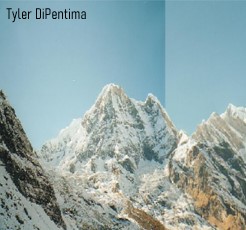
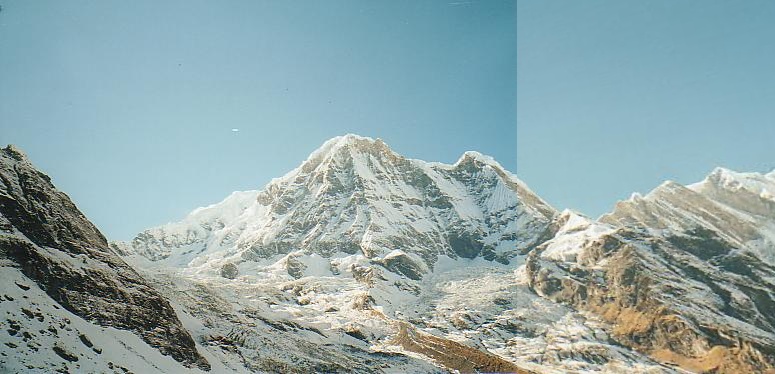
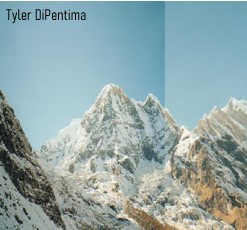
Long story short, RANSAC randomly searches over our possible match choices to test them out and returns to us the best set of matches it has found. The improved panorama generated with these selected corners is seen below as well as in the banner for this article!